
Improving your call center operations is an ongoing struggle. You want to provide the best customer experiences possible but managing large teams and standardizing processes is hard. From acquisition to customer service to payment, there are many steps where the system can break down.
Investing in workflow tools and the latest training techniques will make life easier for your customers and staff.
Call Center Operations: Problem Area Workflows
Successful Call Center Management When Signing New Customers
Once a prospect has agreed to become a customer, it’s important to secure any signatures or deposits right away. Sending contracts by mail can be costly and time consuming – and gives customers the opportunity to change their minds.
A bumpy signature or onboarding process will leave clients with a bad impression before they even get to know you. The contract management team should have a fast, efficient way to send and receive paperwork and up-front payments.
Call Center Tactics for Handling Questions or Complaints
Many call center operations revolve around handling customer concerns, questions or complaints. How well your team members respond during these interactions has a huge impact on your brand reputation.
There are many ways to make the experience better, either through eliminating roadblocks or creating better processes during the customer service process. How to improve the customer experience?
- Get to know your customer journey - review the steps your customers must take to get help, make a payment, sign a document or other common actions. The digital customer journey is especially important. Improving the avenues for self-serve payment and other actions can eliminate a large number of customer service calls, freeing up staff for other tasks.
- Create a standard operating procedure - create standard procedures for how call center agents should handle common situations like complaints. If issues continue, conduct a root cause analysis to find out where things are going wrong.
- Simplify telephone interactions - for those who have questions about an invoice, contract or specific line items in their transaction, consider real time document sharing through an electronic tool, so both parties can review items simultaneously.
Call Center Operational Risks in Billing and Payment Collection
As with other problem areas, adjusting your invoicing, billing and payment procedures can have a major impact on your company. If paying a bill is difficult or confusing, this creates a high number of abandoned payments and customer complaints. Simplify your payment workflows and offer communication channels consumers prefer, like text messaging and email.
If you are experiencing a high volume of late or delinquent payments, you should create a one-time campaign to clean up open accounts. Then, you can begin to create a better, more effective payment collection process moving forward.
Call center operations need to be monitored closely in this department not only for customer satisfaction and how many closed accounts there are, but also for data security and regulatory compliance concerns.
- PCI compliance - a top concern for many companies is how to maintain call center PCI compliance, whether agents work remotely or at the office. Your payment solution should offer ways to reduce your organization’s PCI scope to make payment collection simple for staff and secure for customers. Data
- Tokenization and Encryption - every time a customer makes a payment, they trust your business to protect their sensitive data. Your payment platform should offer tokenization and encryption of credit card and bank account information.
How to Improve Call Center Operations
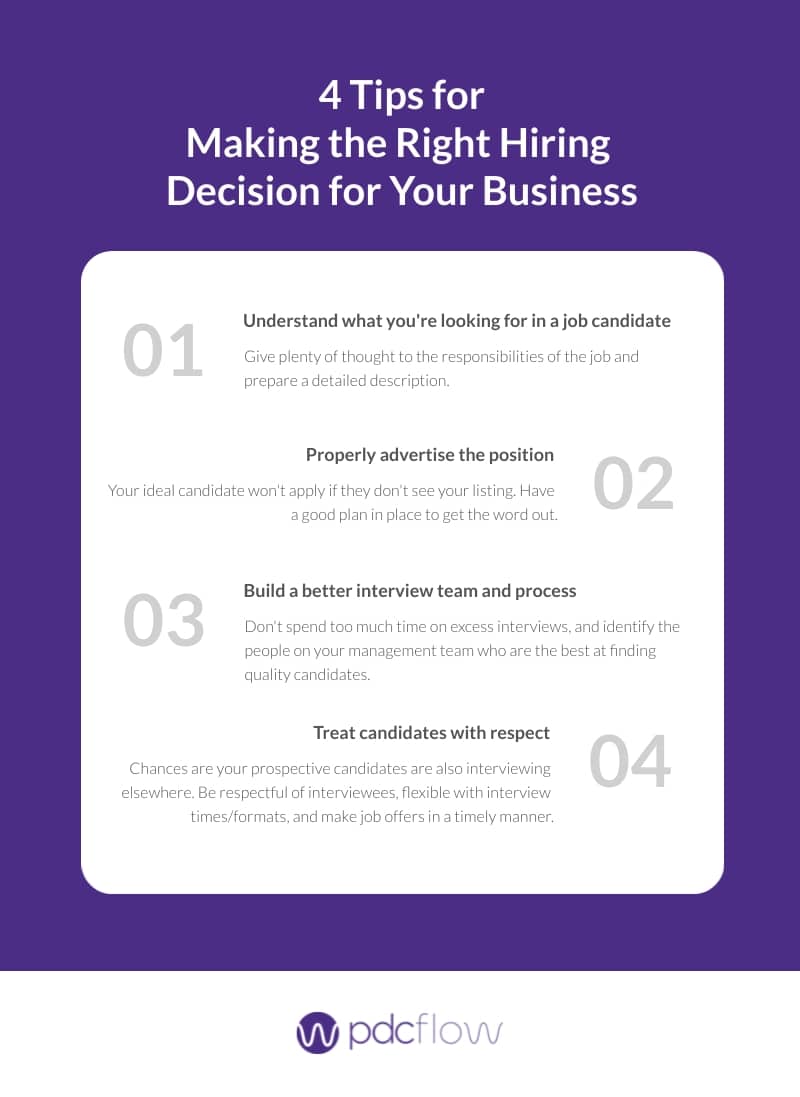
Cutting corners with staffing and resources will only create more problems down the road. If you want to improve call center efficiency, you must invest in the people that keep your company running.
This means working to hire and retain the right people and invest in the tools that simplify tasks and help customers.
Better Hiring
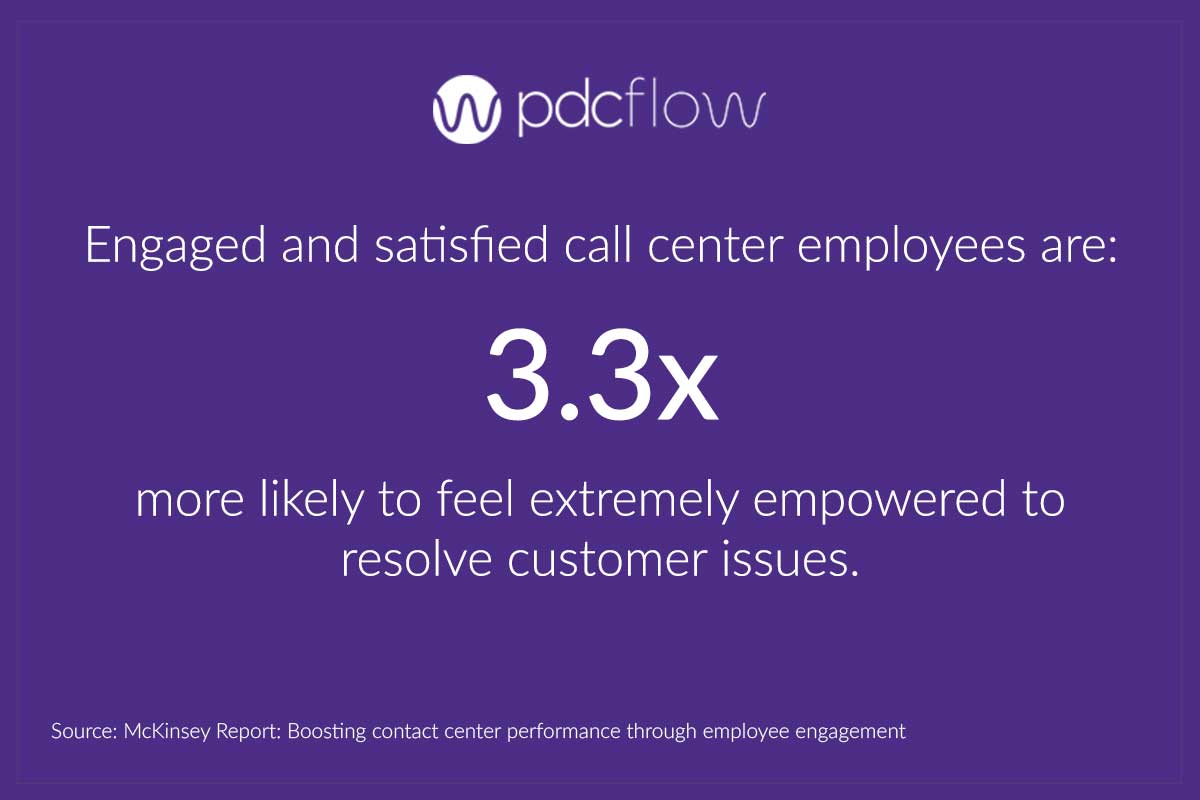
Appropriate Training
Large call centers usually have entire departments for training. Whether your organization has dedicated training managers, or this is a shared responsibility for several departments, your company needs to understand the basics of how people learn.
Break information into bite-sized sessions (called microlearning) to avoid overwhelming trainees. Give people flexibility into how or when they can train whenever possible, so they don’t have to multi-task during important modules. Relate class material to on-the-job scenarios to help staff better understand the content.
A robust, flexible training program will elevate the baseline for employee performance and help new staff build confidence and take ownership of their roles.
Another essential element of training is to set behavioral expectations and teach staff the importance of empathy during customer interactions. Staff – especially those in charge of payment collection or customer complaints – must be able to understand how customers are feeling and how to validate those emotions during escalations.
Teaching agents to use an empathetic communication strategy will create a company culture of caring and positivity that will benefit your organization and foster trust with customers.
Better Technology
Of course, the best staff can only do so much with an inadequate tech stack. For the smoothest call center operations, you’ll need the right tools for the job. Look for workflow software that is versatile, efficient, and easy to use for you, staff and customers.
Flow Technology
PDCflow’s Flow Technology is a payment communication tool that allows you to roll multiple actions into a single workflow. It is ideal for AR teams, small businesses and call centers. With Flow, you can:
- Send contracts to a customer for them to review and sign via email or text, cutting out mailing costs and reducing the time it takes to receive a completed agreement.
- Combine signature requests or document delivery workflows with a payment request, speeding up the payment process.
- Send invoices to consumers by text or email while on the phone, so better handle questions or concerns about a service.
- Send automatic payment reminders to keep recurring payment schedules on track, or create one-time payment reminder campaigns to capture late payments before delinquency.
- Integrate our tools into your system of record with open APIs. PDCflow offers flexible, developer-friendly integration into our secure payment and communication technology. With drop-in and low-code components, businesses can have simpler access to payment and communication functionality
Learn how you can reduce friction and keep consumer payment data secure with PDCflow's Flow Technology. Download the solution brief to learn more.
Download the FLOW Technology for Call Centers Solution Brief
- ABOUT THE AUTHOR -

Hannah Huerta, Marketing Specialist
Hannah Huerta is a Marketing Specialist at PDCflow. She creates content for the accounts receivable and payment industry.

Related Articles